Understanding the Key Hardware Differences Between AI GPUs and Gaming GPUs

When you think of GPUs, you might picture the powerful graphics cards that bring video games to life with stunning visuals. But GPUs have evolved far beyond gaming. Today, specialized GPUs power artificial intelligence (AI) workloads, driving breakthroughs in machine learning, natural language processing, and more. While both AI GPUs and gaming GPUs share a common ancestry, their hardware designs and circuit architectures differ significantly to meet their unique demands.
In this post, I’ll walk you through the key hardware differences between AI GPUs and gaming GPUs. I’ll explain how their circuit designs reflect their distinct goals, and why these differences matter for performance and efficiency. Whether you’re a tech enthusiast, developer, or just curious about how GPUs work, this guide will give you a clear understanding of what sets these two types of GPUs apart.
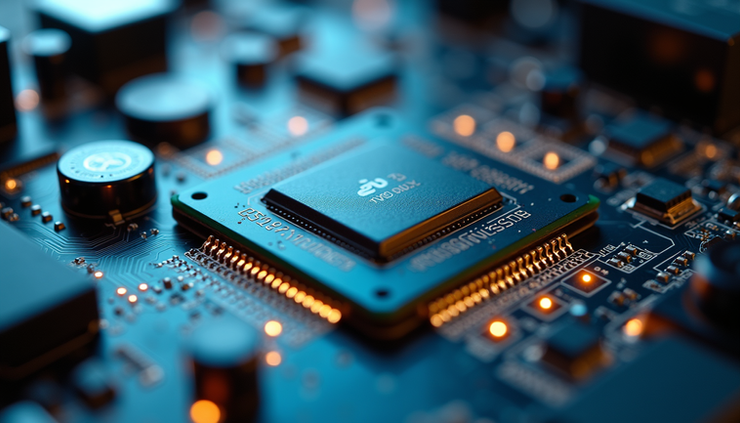
Close-up view of a GPU circuit board highlighting the intricate chip layout and components that differ between AI and gaming GPUs.
Core Design Philosophy
The primary difference between AI GPUs and gaming GPUs starts with their design philosophy. Gaming GPUs focus on rendering high-quality graphics in real time. This means they prioritize fast rasterization, texture mapping, and shading to produce smooth frames at high resolutions and refresh rates.
AI GPUs, on the other hand, are built to accelerate large-scale matrix computations and parallel data processing. Their architecture targets workloads like neural network training and inference, which involve massive amounts of linear algebra operations. This fundamental difference shapes everything from the number of cores to memory design.
Gaming GPU Focus
Graphics rendering pipelines optimized for pixel and vertex processing.
Support for APIs like DirectX and Vulkan.
Hardware units for texture filtering, anti-aliasing, and ray tracing.
Emphasis on frame rate and visual fidelity.
Balanced power consumption for desktop or laptop use.
AI GPU Focus
Tensor cores or matrix multiplication units specialized for deep learning.
High throughput for floating-point and integer operations.
Large on-chip memory and high bandwidth to feed data-hungry AI models.
Support for mixed precision computing (FP16, INT8) to speed up training.
Designed for data centers or specialized AI hardware accelerators.
Circuit Design and Core Architecture
The circuit design of AI GPUs and gaming GPUs reflects their different workloads. Let’s look at some of the key architectural elements.
Compute Units and Cores
Gaming GPUs feature many shader cores designed for parallel pixel and vertex processing. These cores handle tasks like shading, lighting, and geometry calculations. The architecture often includes:
Streaming Multiprocessors (SMs) or Compute Units (CUs) optimized for graphics pipelines.
Specialized units for rasterization and texture sampling.
Moderate core counts balanced with clock speeds to maintain smooth frame rates.
AI GPUs increase the number of specialized cores called tensor cores or matrix multiplication units. These cores accelerate matrix operations critical for AI tasks. For example:
NVIDIA’s Tensor Cores perform mixed precision matrix multiply-accumulate operations.
AMD’s AI-focused GPUs include matrix cores optimized for deep learning.
AI GPUs often have more cores dedicated to parallel math operations than gaming GPUs.
Memory Architecture
Memory design is crucial for performance in both types of GPUs but differs in priorities.
Gaming GPUs use GDDR6 or GDDR6X memory optimized for high bandwidth to support fast texture and frame buffer access.
AI GPUs often use HBM2 or HBM2e (High Bandwidth Memory) with much higher bandwidth and lower latency to handle large AI datasets and models.
AI GPUs also feature larger on-chip caches and shared memory to reduce data movement delays during matrix computations.
Precision and Data Types
Gaming GPUs primarily use 32-bit floating-point (FP32) precision for rendering calculations. This precision ensures accurate color and lighting effects.
AI GPUs support multiple precision levels:
FP32 for training accuracy.
FP16 (half precision) to speed up training and inference with acceptable accuracy loss.
INT8 or INT4 for inference acceleration with quantized models.
Circuit designs in AI GPUs include hardware units that efficiently switch between these precisions, improving throughput and power efficiency.
Specialized Hardware Units
AI GPUs include hardware components that gaming GPUs typically lack or use differently.
Tensor Cores and Matrix Units
Tensor cores are the hallmark of AI GPUs. These units perform matrix multiplications and accumulations in a single operation, which is the backbone of neural network computations.
They enable AI GPUs to process thousands of operations per clock cycle.
Gaming GPUs may have tensor cores but use them sparingly or for AI-related features like DLSS (Deep Learning Super Sampling).
Ray Tracing and Rasterization Units
Gaming GPUs invest heavily in ray tracing cores and rasterization hardware to simulate realistic lighting and shadows.
These units accelerate ray traversal and intersection calculations.
AI GPUs may include ray tracing hardware but it is not a priority.
Interconnects and Multi-GPU Scaling
AI workloads often require multiple GPUs working together. AI GPUs feature high-speed interconnects such as NVIDIA’s NVLink or AMD’s Infinity Fabric to enable fast data sharing between GPUs.
Gaming GPUs typically rely on PCIe lanes and may support multi-GPU setups, but the interconnect speeds and protocols are less optimized for AI workloads.
Power and Thermal Design
The power and thermal design of AI GPUs and gaming GPUs also differ due to their usage scenarios.
Gaming GPUs are designed for consumer PCs and laptops, balancing power consumption with noise and heat.
AI GPUs are often deployed in data centers with dedicated cooling solutions and can consume significantly more power to deliver maximum throughput.
AI GPUs may run at lower clock speeds but have many more cores running simultaneously, leading to different thermal profiles.

High angle view of AI GPU and Gaming GPU chips placed side by side, showing differences in core layout and circuit design.
Real-World Examples
Understanding these differences becomes clearer when looking at specific GPUs.
NVIDIA GeForce RTX 3080 (Gaming GPU)
8704 CUDA cores optimized for graphics.
68 ray tracing cores for real-time lighting.
272 tensor cores mainly used for AI-enhanced graphics features.
10 GB GDDR6X memory with 760 GB/s bandwidth.
Designed for 4K gaming at high frame rates.
NVIDIA A100 Tensor Core GPU (AI GPU)
6912 CUDA cores with 432 third-generation tensor cores.
Supports FP64, FP32, FP16, and INT8 precision.
40 GB or 80 GB HBM2 memory with over 1.5 TB/s bandwidth.
NVLink for multi-GPU scaling.
Designed for AI training and inference in data centers.
The A100’s tensor cores and memory bandwidth far exceed what a gaming GPU offers, reflecting its AI focus.
Why These Differences Matter
Choosing the right GPU depends on your workload.
If you want smooth gaming with realistic graphics, a gaming GPU delivers the best experience.
For AI research, training models, or running inference at scale, an AI GPU provides the necessary compute power and memory bandwidth.
Trying to use a gaming GPU for heavy AI workloads can lead to bottlenecks in memory and compute efficiency. Conversely, AI GPUs are overkill for gaming and come at a much higher cost and power consumption.
Final Thoughts
The hardware differences between AI GPUs and gaming GPUs come down to their intended tasks. AI GPUs focus on accelerating matrix math with tensor cores, high bandwidth memory, and multi-precision support. Gaming GPUs prioritize graphics pipelines, ray tracing, and texture processing for immersive visuals.
Understanding these distinctions helps you pick the right GPU for your needs and appreciate the engineering behind these powerful chips. Whether you’re building a gaming rig or an AI workstation, knowing what’s inside your GPU can guide smarter decisions and better performance.
If you want to explore AI GPU options or gaming GPUs further, look into the latest models from NVIDIA and AMD and compare their specs based on your workload. The right hardware can make all the difference in speed and efficiency.
Disclaimer: This post is for informational purposes only and does not constitute professional advice.


